Agent that finishes the job
Plans, writes, tests and verifies in one turn, with up to 60 tool calls and automatic context compaction so long tasks don't hit the ceiling.
Local · Windows · open source
DariusAI plans, writes, tests and verifies your code, and files what it learns into a brain you can see. Every skill it reads and every tool it runs lights up in a live neural view, the moment it happens.
irm https://raw.githubusercontent.com/tattooinmtl/DariusAI/main/install.ps1 | iex
Windows 10/11 · Python 3.11+ · about 3 minutes · install guide ↓

The neural view
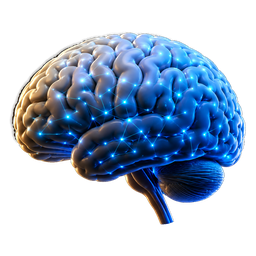
Most agents are a black box with a spinner. DariusAI draws its whole knowledge as a graph: a brain at the centre, skill groups as branches, every skill, tool and hook as a node. When it works, the graph moves with it.
Click any node to read or edit what it knows. Drag to orbit, scroll to zoom.

What's inside
Plans, writes, tests and verifies in one turn, with up to 60 tool calls and automatic context compaction so long tasks don't hit the ceiling.
196 skills across 30 groups, searched paragraph by paragraph, so the agent pulls in the three lines it needs instead of a 26 KB manual.
CodeMirror editor with a file tree, a real integrated shell, and project templates from HTML to FastAPI, Go and Rust, with dependencies installed.
Anthropic, OpenRouter, NVIDIA, MiniMax, Groq and any OpenAI-compatible endpoint. Keys are encrypted with Windows DPAPI and never leave your PC.
File and shell tools are confined to the project. Timeouts kill the whole process tree, and API keys are stripped from every command it runs.
Drives Blender over MCP to build real 3D assets (parametric, sculpted or hard-surface) and export them for your game engine.
Install
irm https://raw.githubusercontent.com/tattooinmtl/DariusAI/main/install.ps1 | iex
The installer downloads the latest release from GitHub, creates its own Python environment, imports the skill library and adds the shortcuts. Nothing is installed system-wide.
Run the same line again. It checks the latest version, syncs only the app files, and never touches your .env, your keys, your virtual environment or your brain.
The short form can't take options, so use this form for a custom folder:
& ([scriptblock]::Create((irm https://raw.githubusercontent.com/tattooinmtl/DariusAI/main/install.ps1))) -Dest D:\apps\DariusAI
Add -SkipShortcuts for no Desktop or Start Menu icons.
Yes. Download the repository as a ZIP from GitHub, put it next to install.ps1, then run .\install.ps1 -ZipFile .\DariusAI-main.zip. Python packages are still fetched by pip.
Install Python 3.11+ from python.org with Add python.exe to PATH ticked (or run winget install Python.Python.3.12), open a new PowerShell window and run the line again.
The window stays open with the message, and it is saved to dariusai-install-error.log in your user folder. Re-running is always safe.
Delete the dariusai-harness folder and the two DariusAI shortcuts. Delete %USERPROFILE%\.dariusai too if you want to remove the brain and your saved keys.
What's new in alpha 0.94